Get started
The Hub
Your home screen: ask Zumi, pick a capture source and find every project, shot and link.
Overview
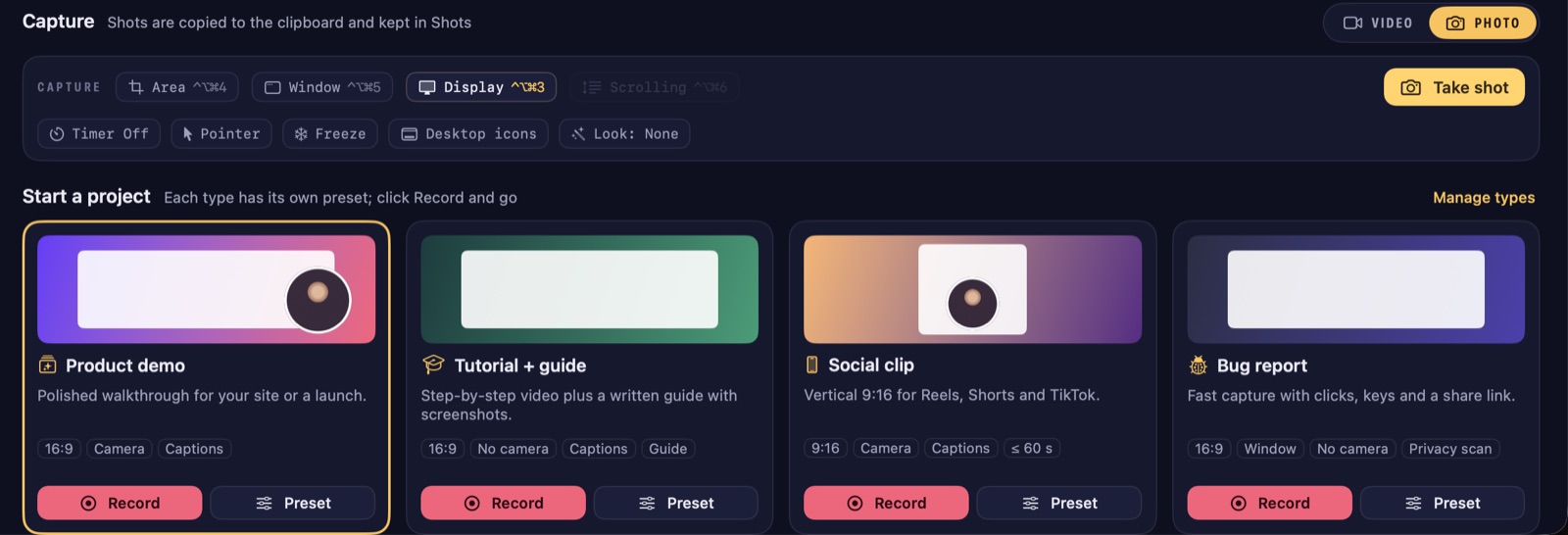
The Hub opens when you start ZumCast. Get back to it from anywhere with ⌘L or Window › Show Hub.
Ask Zumi
Press ⌘K and describe what you want to make. Zumi reads it and sets up the next recording: the project type, whether your camera is on, a vertical format and a title. You can also click the microphone and say it.
The search field at the top finds shots, recordings and what was said in them. See Organise and search.
Capture
The Capture row sets up the next recording. Your choice is remembered.
- Display, Window, Area or iPhone. Press 1–4 to pick one when no text field is active.
- Video or Photo mode. Photo takes a screenshot instead (see Shots).
- Record GIF records a short GIF straight to the clipboard.
- Switches for your microphone (with voice clean-up), camera and system audio.
- Notes and teleprompter opens your script.
Press New recording (⌘N) to open the recorder, or Record Now (⇧⌘N) to start right away with the current setup. Import video brings in a video you already have so you can edit it in the Studio.
The sidebar
| Page | What’s there |
|---|---|
| Projects | Every recording. Open one to edit it in the Studio. |
| Shots | Every screenshot. You can tag shots. |
| Presets | Recording looks and project types you can reuse. |
| Scripts | Teleprompter scripts and automated recording scripts. |
| Shared links | Links you’ve shared, with views, comments and reactions. |
| Team | Your team workspaces, if you use ZumCast Cloud for teams. |
| Trash | Deleted projects and shots, until you empty it. |
Menu-bar library
The ZumCast icon in the menu bar opens a small panel with search, your latest recordings and shots, and buttons to record, open the HUD, open the Hub or Settings. Drag a thumbnail out to drop the file into another app.