See every feature actually run.
Recording, editing, shots, branding and sharing, with Zumi on top. Real features, running in a real Mac app.
No feature matches.
Auto-zoom
Zooms in on every click, then eases back out. No keyframes to set.
Options
- Zoom2.0×
- FollowCalm
- Lean into clickOn
- Keys on screenOn
See the app
A real Mac app, not a web page.
Native, fast, and built for macOS 14 and later. These are screenshots of the current build.
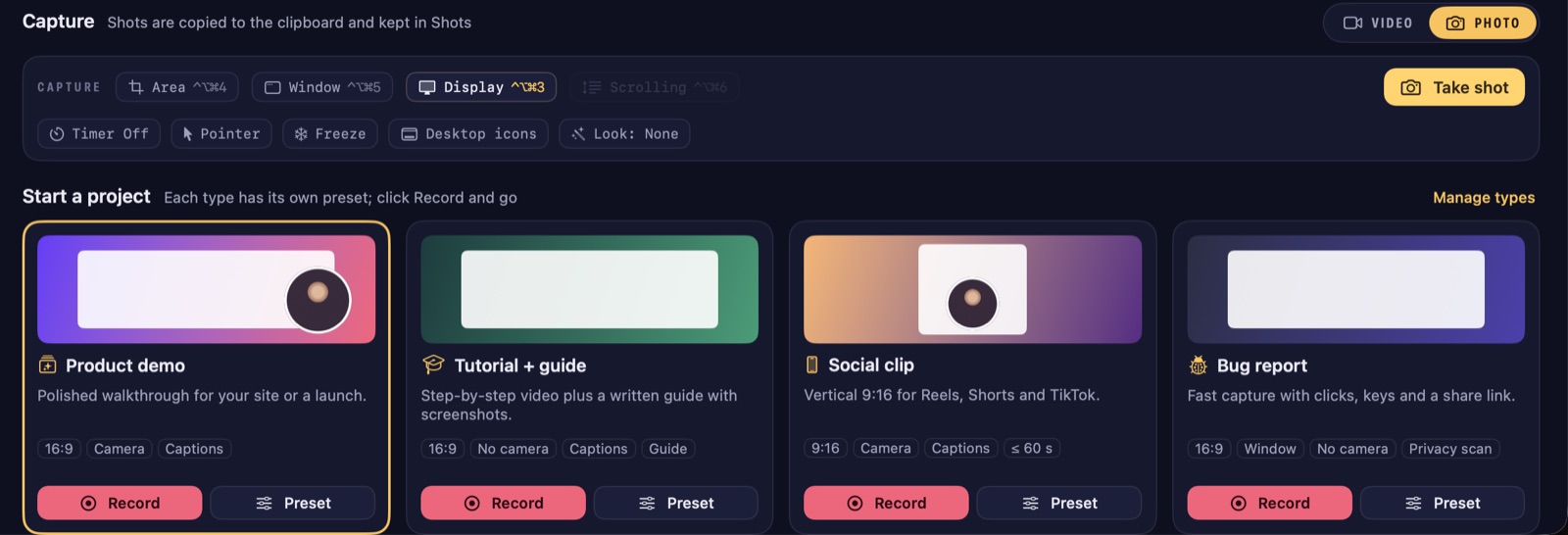
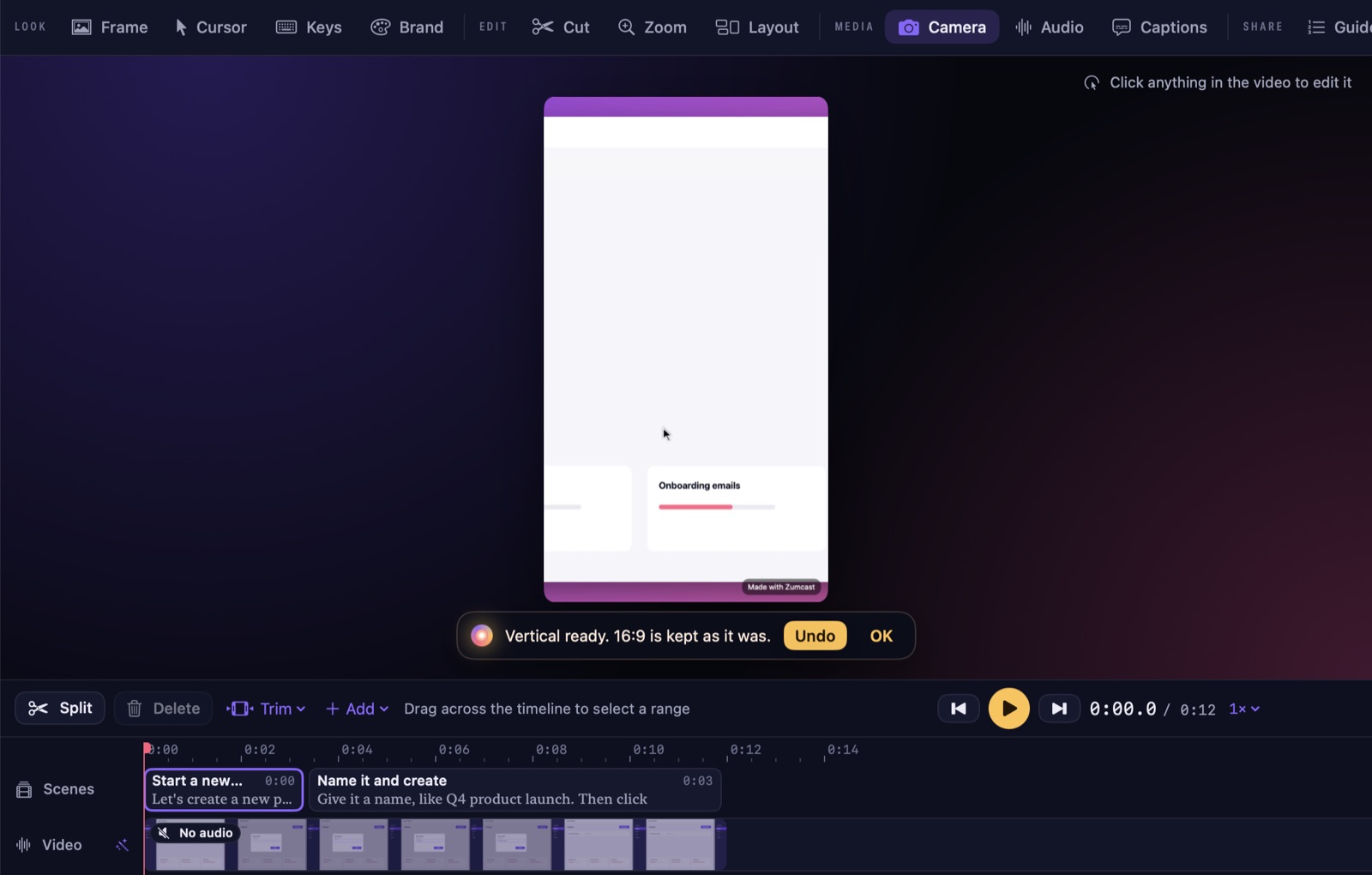
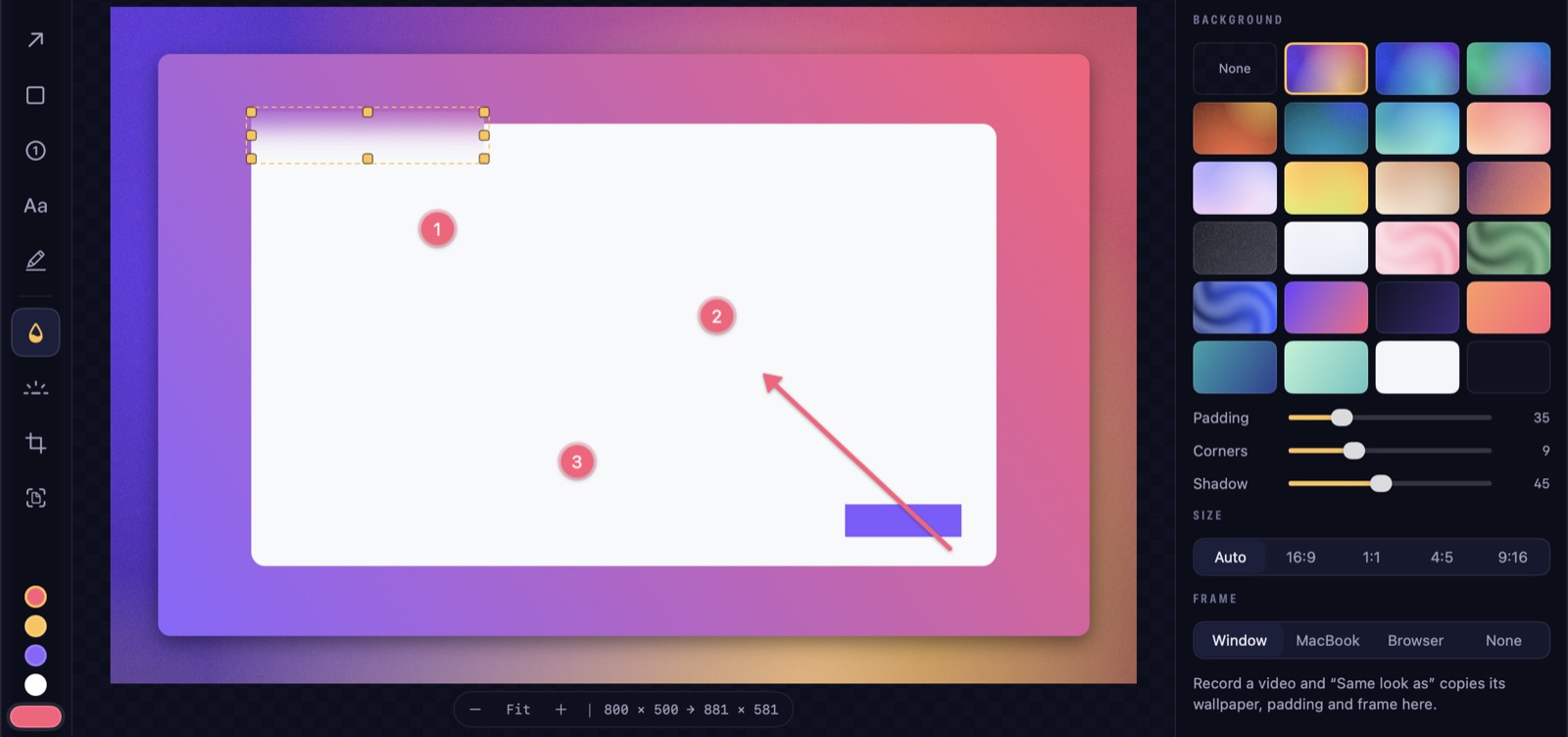
Pre-release build. Details may change before launch.
Record
Press one key. Just do the demo.
The HUD opens from anywhere. Pick a project type and ZumCast records your screen, camera, voice, clicks and keys, ready for every format.
Teleprompter that listens
Your script waits for you.
Read from a script that scrolls as you speak and stops when you stop. No speed to set, no losing your place, and it works offline.
On-device speech recognition. Your voice stays on your Mac.
- The HUDA launcher you open with one key.
- Project typesProduct demo, tutorial with a guide, vertical clip or bug report, each with its own preset.
- Your setup, rememberedPick a source and press Record. Next time it starts the same way.
- Camera and voiceYour camera and mic, recorded with the screen.
- iPhone recordingPlug in and record its screen.
- TeleprompterScrolls as you speak, waits when you stop.
- Clicks and keys capturedSaved with the take, so zooms and guide steps land in the right place.
- Record a GIFStraight to the clipboard.
Edit
Edit by talking, or by text.
Auto-zoom, a smooth cursor and captions are ready when you stop recording. Fine-tune by deleting words, drag the Angle pad, or ask Zumi.
3D angles
Zooms that lean in.
Drag the puck on the Angle pad. Each zoom can have its own angle, and “lean into the click” tilts toward the button you pressed so the eye lands on it.
- Settle, Hold or Float. Tilt on the way in, keep it, or drift slowly.
- Vary between zooms so a long video never feels repetitive.
Smart redaction
Safe to record your real dashboard.
ZumCast finds emails, API keys, cards, IBANs, IP addresses, phone numbers and faces, and blurs them for good. On video the blur follows them as the page scrolls. Prices and names are only blurred when you ask.
- Blur, pixelate or a solid bar. Burnt into every export, never just hidden.
- Found on your Mac. Nothing is uploaded to look for secrets.
Priya Raman
- API KEY
- CARD
- IBAN
- IP
- PHONE
- FACE
- MONEY · OPT-IN
- NAME · OPT-IN
- Auto-zoomFollows your clicks and typing.
- Smooth cursorShaky moves smoothed, with click effects.
- Click soundsThree sounds to choose from, or none.
- Keys on screenShortcuts appear as you press them. Typed characters are never recorded.
- Edit by textDelete words, the video cuts with them.
- Fillers and pausesRemove the ums and long gaps in one go.
- Clean up voiceHum, hiss and volume fixed.
- AI voiceoverLines start when you spoke them.
- 8 caption looks5 fonts, word by word, burnt in or SRT.
- Translated captionsSRT and VTT in other languages.
- 3D anglesSettle, Hold or Float, per zoom.
- Join clipsAdd a recording before or after.
- Per-clip looksEach clip in a joined video can keep its own look.
- Smart redaction9 kinds found on your Mac and blurred for good.
- ZumiAsk for an edit, see the plan, press Apply.
- One UndoEvery plan and every Polish is one step back.
Shots
Screenshots, finished in the same app.
Capture an area, a window, a display, a scrolling page or a web page, then mark it up, set it on a wallpaper and share it.
Wallpapers and frames
From screenshot to launch image.
Set any shot on one of 102 wallpapers in nine families, add padding, round the corners, put it in a device frame or tilt it in 3D. Try a few here.
- 102 wallpapers, nine families.
- Tilt and frames for launch posts and app pages.
Aurora · 6 of 102 wallpapers shown
- Area, window or displayCapture exactly what you need.
- Scrolling captureLong pages as one image.
- Web page capturePhone, tablet or desktop, light or dark.
- Shot editorArrows, numbered steps, spotlight, text and blur.
- 102 wallpapersNine families, with padding and corners.
- Device framesPut a shot in a Mac or phone frame.
- TiltA 3D angle for launch images.
- WatermarkYour own mark on shots.
- PinsFloat a shot over your work.
- Frames from videoPull sharp stills at full resolution.
- Screenshot to videoA shot becomes a launch clip.
- Capture textGrab words from anything on screen.
Brand
Your brand on every version.
Set up a brand kit once. Cards and colours follow it, and one-click Polish does the rest.
Brand kits
Set it once. Every version follows.
Your colours, logo and cards live in a brand kit. Polish applies it to the 16:9, the 9:16 and everything in between, with title, chapter and end cards.
- Brand kitsYour colours, logo and cards in one place.
- Title, chapter and end cardsMade from your kit.
- One-click PolishCleanup, branding and versions.
- Versions per format16:9, 9:16, 1:1 and 4:5, each with its own crop.
- Export allEvery version, named and ready.
- No “Made with” markPro exports carry only your brand.
Organize
A library that organises itself.
Every shot and recording is read, named and tagged on your Mac. Search for a word you said or a button you clicked.
Search what you said
Find the take by what was on screen.
Every shot and recording is read, named and tagged on your Mac. Search for a word you said or a button you clicked, and ZumCast shows why it matched.
2 results
- Smart namesNamed after the app and page they show.
- Suggested tagsKeep them or dismiss them.
- Short summariesKnow what a recording is before you open it.
- Smart searchText on screen, words you said, app names and tags.
- Menu-bar libraryYour latest shots and recordings, one click away.
- On your MacNothing is uploaded to name, tag or search.
Export
Every file you need.
Video
MP4, MOV and GIF, up to 4K at 60 fps, in 16:9, 9:16, 1:1 and 4:5.
Docs
Guides as PDF, Markdown or HTML, plus interactive HTML demos.
Screenshots
PNG, JPEG or PDF, on a wallpaper or clean.
Captions
SRT and VTT, in your language and translated.
PRO Export all makes every version, named and ready, in one click.
Accessibility
Made for every way you use a Mac.
Every control speaks to VoiceOver, every flow works from the keyboard, and the dark theme passes contrast checks.
- VoiceOverEvery control labelled, timeline items included.
- Full keyboard controlEvery flow works without a mouse.
- Increase ContrastBorders and text get stronger.
- Reduce MotionAnimations become still frames.
- Reduce TransparencySolid backgrounds instead of blur.
- Contrast-checked themeThe dark theme passes contrast checks.
For developers
Let your assistant drive. Locally.
A command-line tool and an MCP server let Claude and other assistants record, edit with Zumi and export, without a cloud account.
- CLIJSON output for scripts and CI.
- MCP serverTools for plan, apply, search, shots and export.
- Siri and ShortcutsTake a screenshot, capture text, start recording.
- Always on screenAnything an assistant starts shows on screen.
- Signed requestsUnsigned requests ask you first.
- Library access is your callYou choose whether assistants can search.
Launching soon
Record once. Zumi does the rest.
ZumCast isn't available to download yet. It's in final testing, and the Mac download will be right here at launch, free to start.
ZumCast is a Mac app (macOS 14 or later). Come back on your Mac to download it.
macOS 14 or later · Free to start