The Best Camtasia Alternatives for Mac in 2026
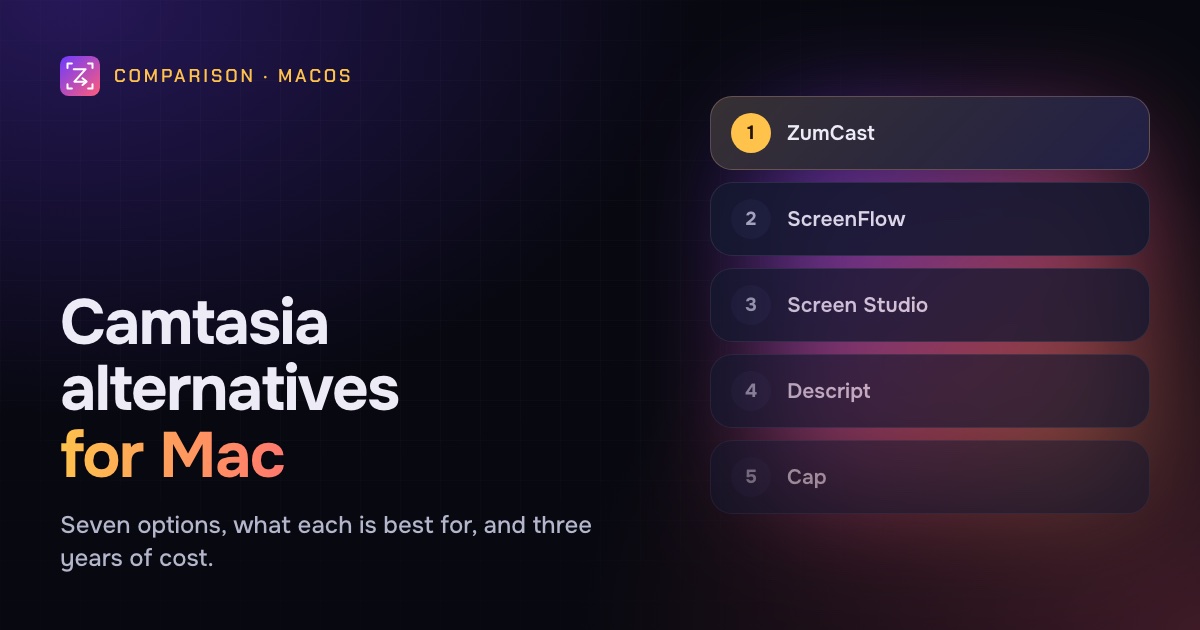
Camtasia alternatives for Mac compared on price, editing, auto-zoom and captions. ZumCast, ScreenFlow, Screen Studio, Descript, CleanShot X, Cap and OBS, with three-year costs.
Por ahora, este artículo solo está en inglés.
Camtasia has been the go-to tool for training and tutorial videos for a long time, and for good reason. It's a full timeline editor with annotations, transitions, captions, quizzes and SCORM export, on both Mac and Windows.
So why are Mac users looking around? The reasons we hear most:
- It's a yearly subscription. Camtasia is no longer sold as a one-time purchase. Essentials is $179.88 a year, Create $249 a year and Pro $599 a year on TechSmith's store. The $39-a-year Starter plan watermarks exports from the editor.
- It's a lot of software. If you mostly record software demos and tutorials, a full multitrack editor can be more than you need, and it takes time to learn.
- The Mac has newer options. Recorders that zoom on your clicks automatically, edit by transcript, or both, have changed what "editing" means for a five-minute tutorial.
Here are the alternatives worth a look, what each is best for, and who should stay on Camtasia.
Disclosure: we make ZumCast, one of the apps below. Every other product's price and features come from its official website, October 2026.
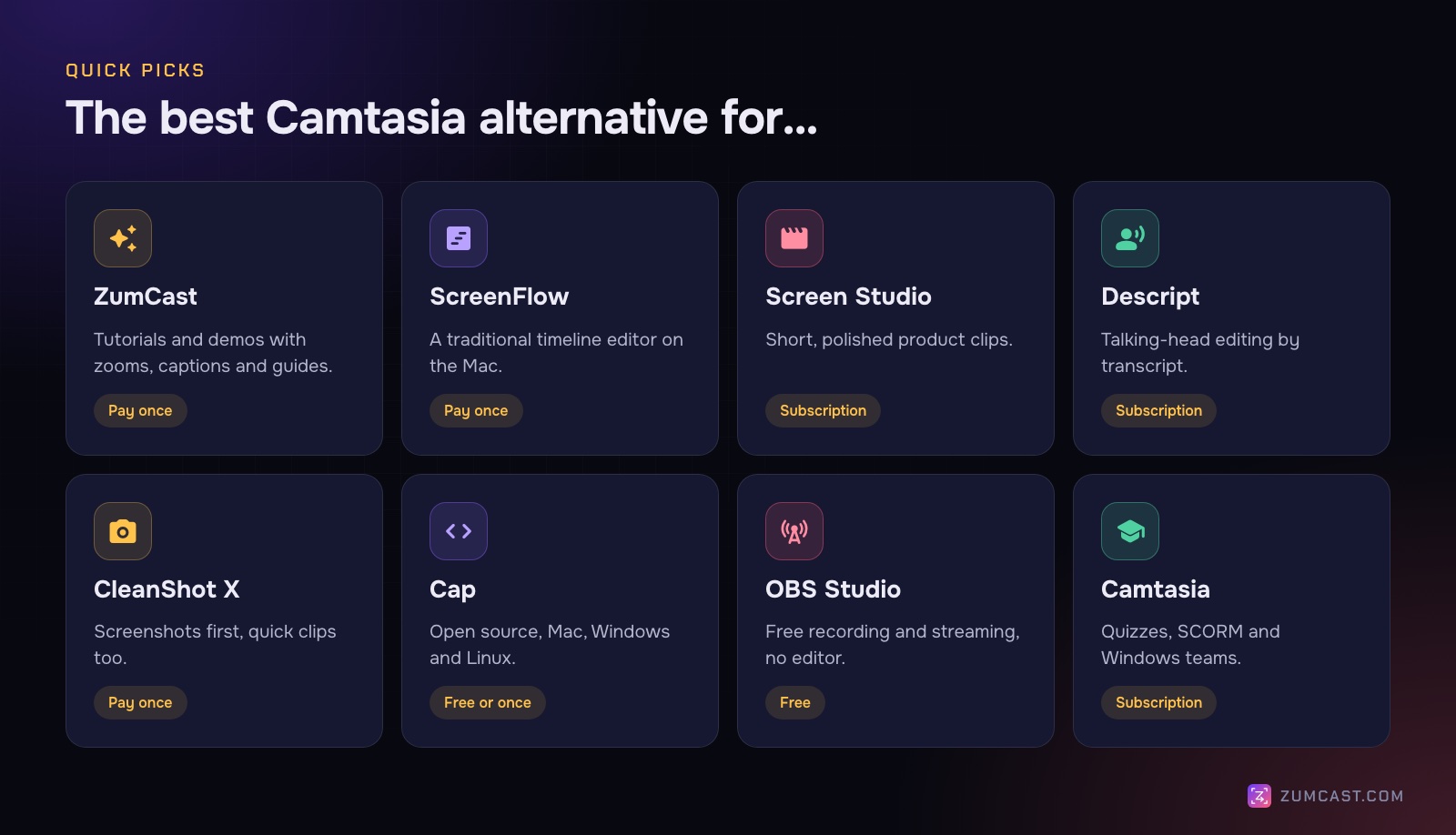
Quick picks
- Tutorials and demos with auto-zoom, captions and guides, paid once: ZumCast
- A traditional timeline editor, paid once: ScreenFlow
- Short, polished product clips: Screen Studio
- Talking-head and podcast-style editing by transcript: Descript
- Screenshots first, quick clips too: CleanShot X
- Open source and cross-platform: Cap
- Free, and you'll do the editing elsewhere: OBS Studio
- Quizzes, SCORM or a mixed Mac and Windows team: stay on Camtasia
1. ZumCast: tutorials and demos, with the editing done for you
Price: Basic free; Pro $49 once (launch pricing from $9). Mac only, macOS 14 or later.
Where Camtasia gives you a timeline and lets you build, ZumCast does most of the routine editing as you record. When you stop, zooms on every click and a smooth cursor are already on the timeline, and you can ask Zumi, its AI editor, for the rest in plain words: "cut the pauses", "add captions at the top", "add a title and end card with my brand". Zumi shows a plan before anything changes, and it runs on your Mac.
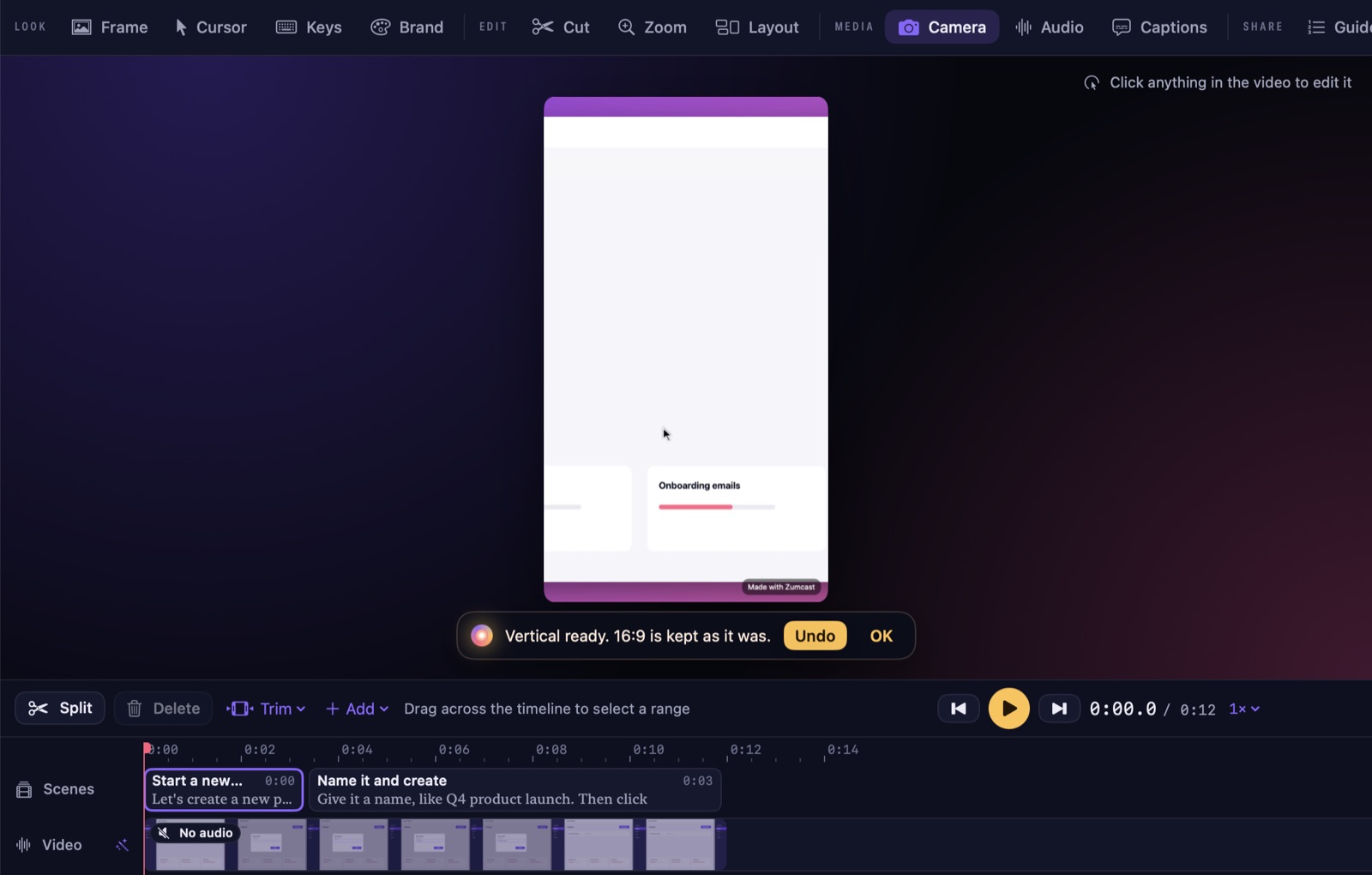
What overlaps with what people use Camtasia for:
- Edit by transcript and remove fillers (Pro), with transcripts made on your Mac.
- Captions in eight styles, translated on your Mac into 16 languages and exported as SRT or VTT (Pro).
- Annotations: 77 animated props, including arrows, highlight boxes, callouts, step badges and blur, which can attach to your clicks.
- Brand kits with title, chapter and end cards (free).
- Step-by-step guides from the same recording, exported as Markdown, HTML, PDF or an interactive demo. Basic exports the first 3 steps.
- Versions in 16:9, 9:16, 1:1, 4:5 and 4:3 from one edit.
What you give up: there are no quizzes or SCORM export, and no Windows version. It's not a free-form multitrack editor: you work with lanes for zooms, layouts, cards, overlays and captions rather than stacking arbitrary tracks. Free exports are limited (the first half of the video, up to 30 seconds, with a mark) until you buy Pro. ZumCast is also new: 1.0 shipped in October 2026.
Best for: people who make software tutorials and demos and want them polished with less hands-on editing, paid for once.
2. ScreenFlow: a traditional timeline editor, paid once
Price: $199 once; Super Pak $275. The trial watermarks exports. Mac only.
ScreenFlow is the closest thing to Camtasia's way of working on the Mac: record your screen, camera, microphone and even an iOS device, then edit on a full timeline. It exports GIF and animated PNG too.
What you gain: a familiar timeline editor with no subscription.
What you give up: AI features, auto-captions and auto-zoom aren't listed; you add zooms and captions by hand. Its store page lists support for macOS Sonoma and Sequoia, so check compatibility if you're on a newer version.
Best for: Camtasia users who like timeline editing and simply want to stop paying every year.
3. Screen Studio: short, polished product clips
Price: $29 a month, or $9 a month billed yearly ($108 a year). One-time licences are no longer sold to new buyers. Mac only.
Screen Studio made automatic zooms on clicks and smooth cursors popular. It also records iPhones and iPads over USB with a device frame, and has on-device captions and camera background removal.
What you gain: beautiful short clips with almost no editing.
What you give up: no transcript editing or filler removal, and it's still a subscription. It's built for clips more than long tutorials.
Best for: marketers and founders making short product videos for social and landing pages. We compared its alternatives in The Best Screen Studio Alternatives.
4. Descript: editing by transcript
Price: free (1 media hour, 720p, watermark); Hobbyist $16 a month and Creator $24 a month, billed yearly. Mac (macOS 14 or later) and Windows 11.
Descript treats video like a document: edit the transcript and the video follows. It has filler-word removal, captions, translation and dubbing, plus AI tools such as Studio Sound and Eye Contact.
What you gain: the best-known transcript editor, strong for videos that are mostly someone talking.
What you give up: its AI features run in the cloud, the screen recorder needs a dedicated GPU, and click-based auto-zoom isn't listed. It's a subscription.
Best for: podcasters and creators whose videos are mostly people talking, with some screen recording.
5. CleanShot X: screenshots first, quick clips too
Price: $35 once with a year of updates (renewal optional, $19 a year); Pro $10 per user per month billed yearly for unlimited cloud. Mac only.
CleanShot X is best known for screenshots (scrolling capture, annotations, OCR), and its video editor adds smart zooms, cursor smoothing, backgrounds, vertical export and video transcription.
What you gain: excellent screenshots and quick, good-looking clips at a low one-time price.
What you give up: transcript editing and filler removal aren't listed, and it's not built for long tutorials.
Best for: people who mainly need screenshots and short clips, not a course editor.
6. Cap: open source, on every platform
Price: free tier with the full studio editor; desktop licence $58 once or $29 a year; Pro $12 per user per month. Mac, Windows and Linux.
Cap's studio mode has auto-zoom on clicks, cursor smoothing, 4K60 export and on-device captions in 19 languages. Its instant mode gives you a share link as you record.
What you gain: open source, cross-platform, and a low one-time licence.
What you give up: transcript editing isn't listed, and its AI titles and summaries (Pro) run in the cloud. Check the licence terms for commercial use on the free tier.
Best for: teams on mixed platforms, or anyone who wants open source.
7. OBS Studio: free, but no editor
Price: free and open source. Mac (macOS 13 or later), Windows and Linux.
OBS is a powerful recorder and streaming tool, with scenes, sources, filters and plugins. On macOS it records app audio without extra drivers.
What you gain: it's free, with no watermark or time limits.
What you give up: there's no editor, no auto-zoom and no captions, so it replaces Camtasia's recorder but not its editor. It also takes time to learn. If you want something easier, see The Best OBS Alternatives for Mac.
Best for: streamers, and people who already have an editor and only need a free recorder.
Side by side
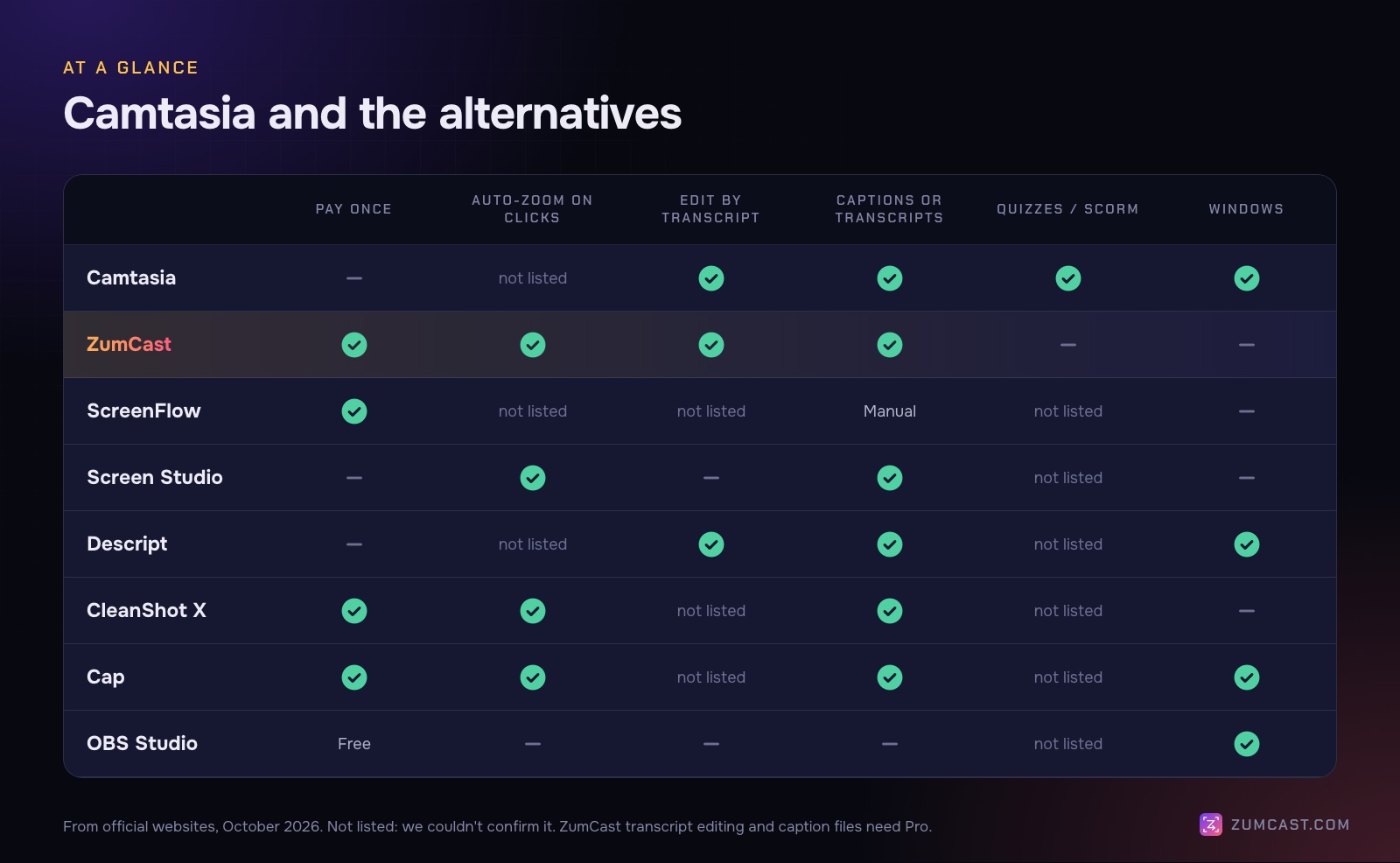
Camtasia is the only one here that lists quizzes and SCORM. ZumCast, Screen Studio, CleanShot X and Cap list automatic zooms on clicks, which Camtasia's site doesn't mention. ZumCast and Descript are the alternatives that list editing by transcript.
What three years really costs
Camtasia's price is easier to compare over a few years, because subscriptions keep billing and one-time purchases don't.
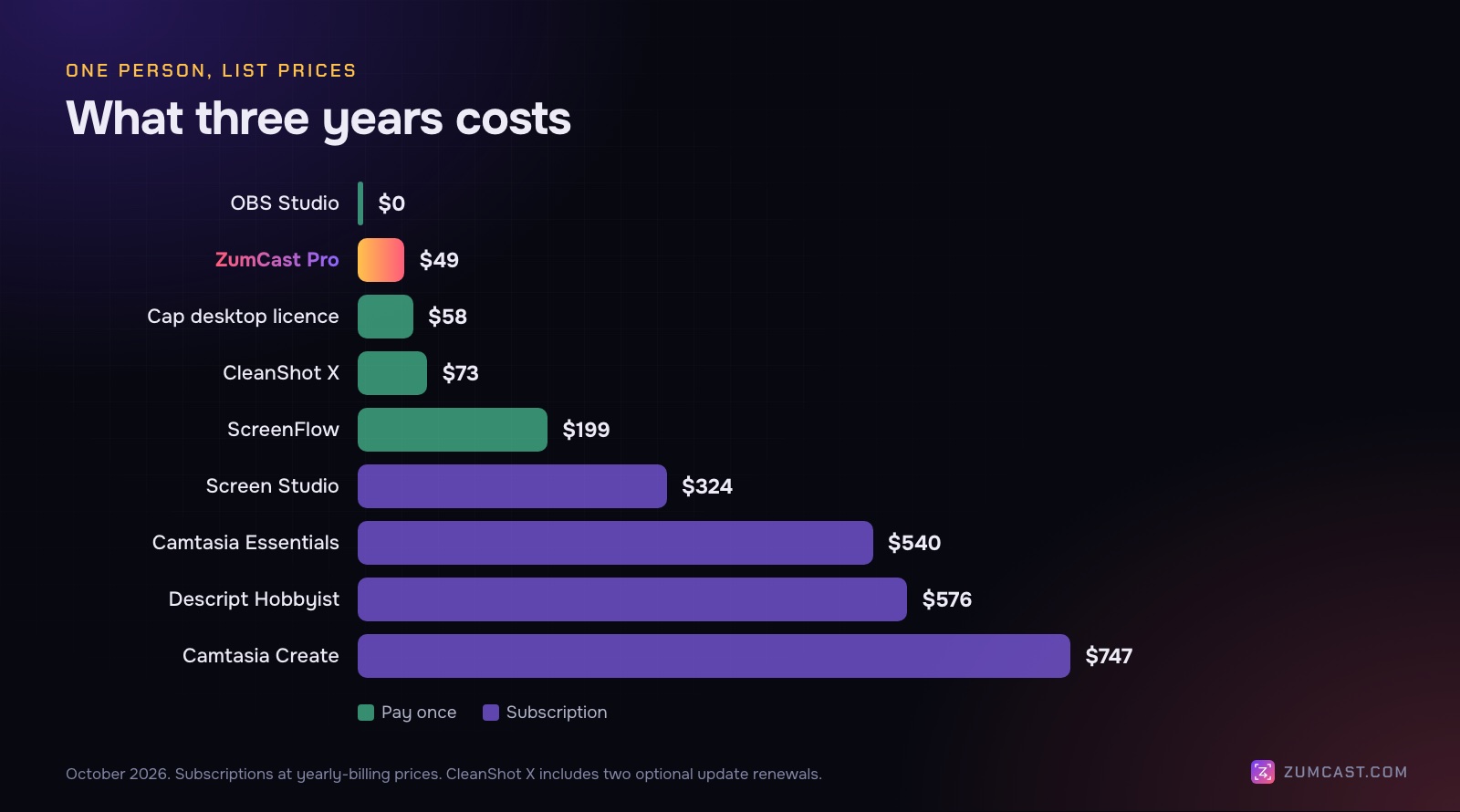
- OBS Studio: $0.
- ZumCast Pro: $49 once (major upgrades optional at $9 a year).
- Cap desktop licence: $58 once.
- CleanShot X: $35, or $73 with two more years of updates.
- ScreenFlow: $199 once.
- Screen Studio: $324 ($108 a year).
- Camtasia Essentials: about $540 ($179.88 a year). Create is $747 over three years, and Pro $1,797.
- Descript Hobbyist: $576 ($16 a month, billed yearly). Creator is $864.
One-time prices cover the version you buy; check each app's upgrade policy for major versions.
Who should stay on Camtasia
Camtasia is still the right choice for a lot of people. Stay if:
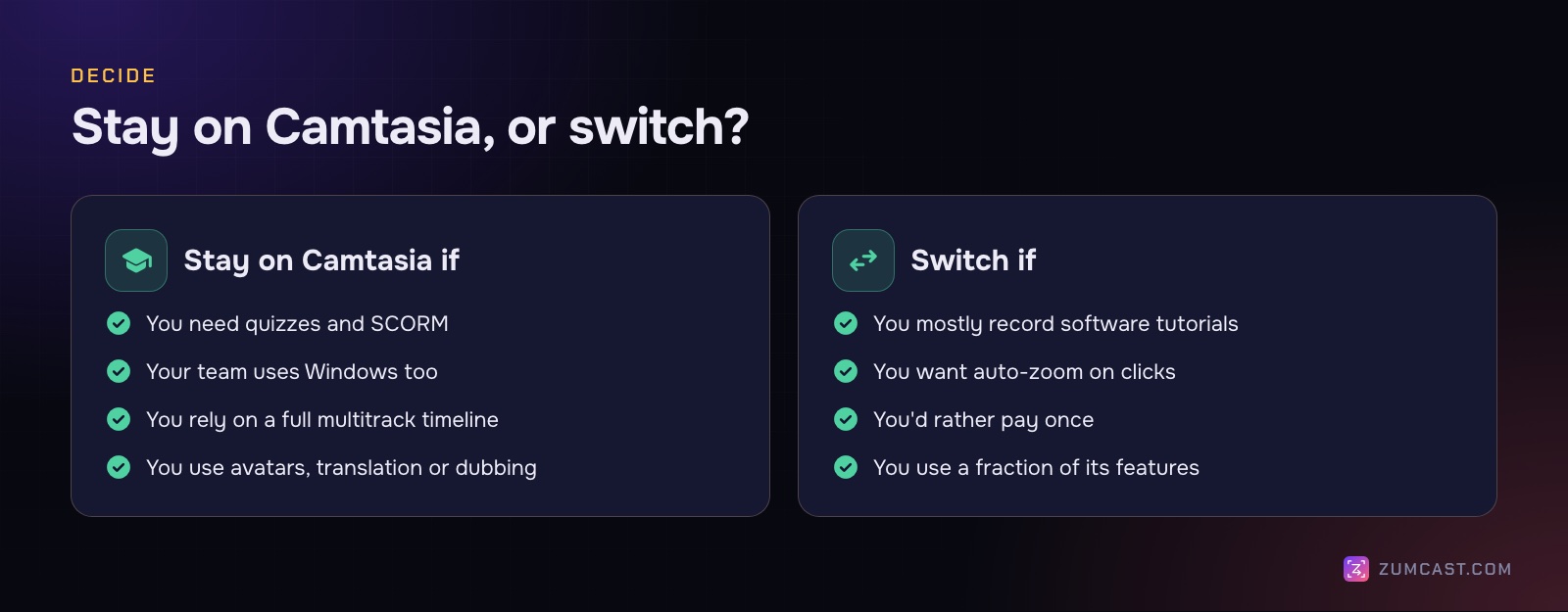
- You need quizzes or SCORM. If your videos go into a learning management system with tracked quizzes, none of the alternatives here list it.
- Your team uses Windows too. Camtasia runs on both, with the same projects and skills. Of the alternatives, only Descript, Cap and OBS run on Windows.
- You rely on a full multitrack timeline for complex productions with many layers.
- You use the AI tiers: scripts and voiceover on Create; avatars, translation and dubbing on Pro.
Switch if you mostly record software tutorials and demos, you'd like auto-zoom and captions without building them by hand, or you're paying every year for features you rarely use. Most of these apps are free to try, so record the same three-minute tutorial in two of them and compare the time it takes and the result.
FAQ
Is there a free alternative to Camtasia for Mac? OBS Studio is free for recording, but has no editor. Cap's free tier includes its studio editor. ZumCast Basic records and edits without limits, but exports are limited until you buy Pro. Apple's Shift-Command-5 toolbar and QuickTime cover simple recordings with a basic trim.
Is Camtasia a one-time purchase? Not any more. As of October 2026, every Camtasia plan is a yearly subscription, from $39 (Starter, watermarked editor exports) to $599 (Pro).
What's the closest Camtasia alternative on a Mac? ScreenFlow, if you want a traditional timeline editor and to pay once. ZumCast, if you want tutorials and demos with zooms, captions and guides done for you.
Which Camtasia alternative edits by transcript? ZumCast (Pro) and Descript. Camtasia itself has text-based editing on Essentials and up.
Do any alternatives support quizzes and SCORM? None of the alternatives here list quizzes or SCORM export. If you need them, Camtasia is still the one to use.
Which alternatives run on Windows too? Descript, Cap and OBS Studio. ZumCast, ScreenFlow, Screen Studio and CleanShot X are Mac only.
For a wider comparison, including Loom and Tella, see The Best Screen Recorders for Mac in 2026.
Prices and features were checked on each product's official website in October 2026 and may have changed since. Camtasia is a trademark of TechSmith Corporation; other product names are trademarks of their owners. This article isn't affiliated with or endorsed by any of them. ZumCast is made by the team that wrote this article. Download ZumCast free.